IT Support Interview Questions: Your 2026 Guide
Master IT support interview questions with expert tips and sample answers. Prepare for technical and behavioral questions to land your dream role.
Preparing for an IT support position requires more than just technical knowledge. As organizations increasingly rely on technology infrastructure, hiring managers are looking for candidates who can combine technical expertise with exceptional problem-solving abilities and customer service skills. Whether you're a recent graduate entering the field or a seasoned professional seeking advancement, understanding the types of it support interview questions you'll encounter can make the difference between landing your dream role and missing the opportunity. This comprehensive guide will walk you through the most common question categories, proven response strategies, and practical tips to help you showcase your qualifications effectively.
Understanding the IT Support Interview Landscape
IT support interviews in 2026 have evolved significantly from simple technical assessments. Hiring managers now evaluate candidates across multiple dimensions, including technical proficiency, communication abilities, and cultural fit within the organization.
Modern IT support roles demand versatility. You'll need to demonstrate competence in troubleshooting hardware and software issues, managing user expectations, and maintaining security protocols. According to Coursera's comprehensive guide, employers are increasingly focusing on how candidates approach problem-solving rather than simply memorizing technical solutions.
Types of Questions You'll Encounter
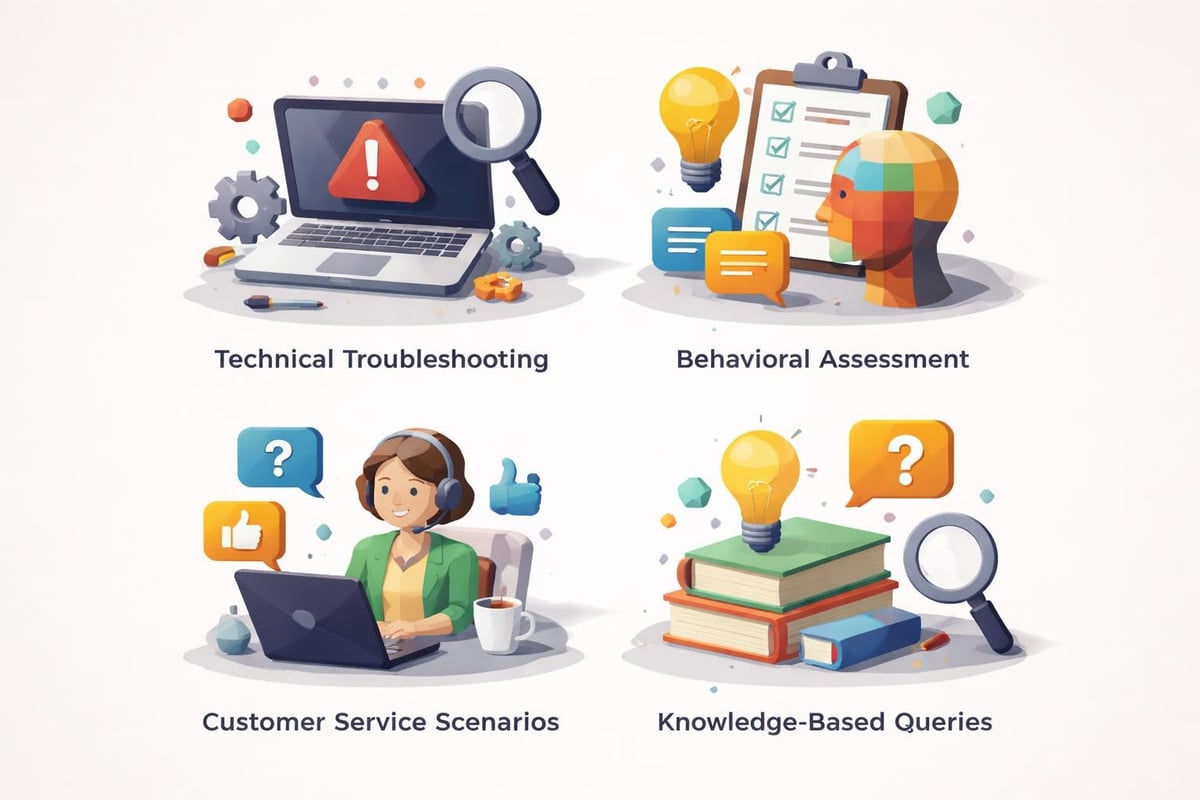
IT support interviews typically include four distinct question categories:
- Technical troubleshooting scenarios that test your diagnostic abilities
- Behavioral questions examining past experiences and decision-making processes
- Customer service situations evaluating your communication and empathy skills
- Knowledge-based queries assessing your understanding of systems, networks, and security
Each category serves a specific purpose in helping employers determine whether you possess the complete skill set required for modern IT support positions.
Technical Troubleshooting Questions
Technical questions form the foundation of any IT support interview. These questions assess your ability to diagnose problems systematically and implement effective solutions.
One frequently asked question is: "Walk me through how you would troubleshoot a computer that won't turn on." This question evaluates your methodical approach to problem-solving. A strong response demonstrates your ability to work through possibilities systematically, starting with the most common causes before moving to complex diagnostics.
Sample response framework:
- Verify power source connections and test the outlet with another device
- Check for visible damage to power cables or components
- Listen for beep codes or fan activity indicating partial power
- Test with a known working power supply if available
- Consider motherboard, RAM, or CPU issues if basic checks fail
- Document findings and escalate if necessary
Another common scenario involves network connectivity issues. Interviewers want to see that you understand the OSI model and can apply troubleshooting methodologies like ping, ipconfig, or traceroute commands effectively.
Hardware vs. Software Diagnostics
Understanding the distinction between hardware and software problems is crucial for IT support professionals. When asked "How do you determine if an issue is hardware or software-related?", structure your answer around concrete diagnostic steps.
| Diagnostic Method | Hardware Issue Indicators | Software Issue Indicators |
|---|---|---|
| System Behavior | Consistent failure across all software | Problem limited to specific applications |
| Boot Process | Failure before OS loads | Issues during or after OS initialization |
| Safe Mode Testing | Problem persists in safe mode | Problem resolves in safe mode |
| Hardware Tests | Diagnostic tools show component failures | Components pass all diagnostic tests |
Your response should demonstrate familiarity with diagnostic utilities like Windows Memory Diagnostic, hard drive SMART status tools, and stress testing software.
Behavioral and Situational Questions
Behavioral questions reveal how you've handled real-world challenges in previous roles. Indeed's IT support interview guide emphasizes that these questions help employers predict future performance based on past behavior.
Handling Difficult Users
"Describe a time when you dealt with a frustrated or difficult user" is among the most common behavioral it support interview questions. This question assesses your emotional intelligence, patience, and conflict resolution skills.
Effective response elements:
- Set the context briefly without excessive detail
- Explain the user's frustration and underlying technical issue
- Describe your specific actions to address both the emotional and technical aspects
- Highlight the positive outcome and what you learned
- Emphasize empathy, active listening, and clear communication
Remember that IT support is fundamentally a customer service role. Your ability to remain calm, demonstrate empathy, and translate technical concepts into understandable language matters just as much as your technical expertise.
Prioritization Under Pressure
When asked "How do you prioritize multiple support tickets with varying urgency levels?", interviewers want to understand your decision-making framework. LinkedIn's talent solutions guide notes that strong candidates articulate clear prioritization criteria rather than vague generalizations.
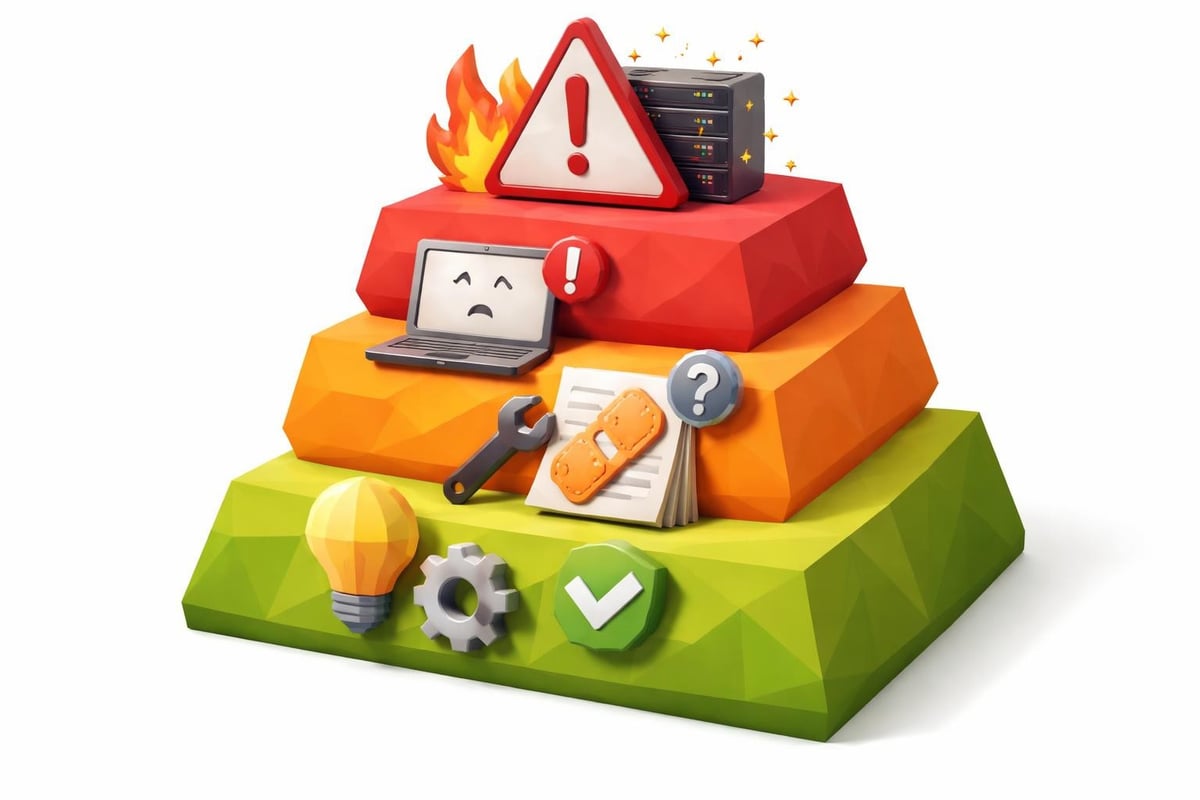
Consider this prioritization matrix:
Priority Level 1 (Critical): System-wide outages affecting multiple users or business-critical operations
Priority Level 2 (High): Issues preventing individual users from performing essential job functions
Priority Level 3 (Medium): Problems causing inconvenience but with available workarounds
Priority Level 4 (Low): Feature requests, minor bugs, or enhancement suggestions
Explain how you balance urgency with impact, communicate wait times to users, and escalate when appropriate. Similar to how you might approach customer service interview questions, demonstrating structured thinking impresses hiring managers.
Knowledge-Based Technical Questions
Knowledge-based questions test your understanding of fundamental IT concepts, systems, and best practices. These questions often have specific correct answers, making preparation essential.
Operating Systems and Networks
Common knowledge questions include:
- What is the difference between TCP and UDP protocols?
- Explain the purpose of DNS and how it works
- What is the difference between a workgroup and a domain?
- How does DHCP assign IP addresses?
- What are the steps in the Windows boot process?
For networking questions, be prepared to discuss IP addressing, subnetting basics, common port numbers (HTTP 80, HTTPS 443, RDP 3389), and the differences between switches, routers, and hubs.
Security and Best Practices
Security awareness has become increasingly important for IT support roles in 2026. JobHunt's IT support specialist questions highlight the growing emphasis on security-related queries.
You might be asked about:
- Phishing identification and user education strategies
- Password policy best practices and multi-factor authentication
- Principles of least privilege access
- Data backup and disaster recovery procedures
- Malware types and removal processes
| Security Concept | Definition | IT Support Application |
|---|---|---|
| Least Privilege | Users receive minimum access needed | Create role-based permissions |
| Defense in Depth | Multiple security layers | Implement antivirus, firewalls, and user training |
| Patch Management | Regular system updates | Schedule and deploy security patches |
| Incident Response | Structured reaction to security events | Document, contain, and escalate threats |
Your responses should reflect current 2026 security standards and demonstrate awareness of emerging threats like social engineering and ransomware.
Communication and Soft Skills Assessment
Technical skills alone won't secure an IT support position. Interviewers carefully evaluate your communication abilities, knowing you'll regularly translate complex technical concepts for non-technical users.
Explaining Technical Concepts
A classic question is: "Explain [technical concept] to someone with no technical background." You might be asked to explain cloud computing, VPNs, or encryption in simple terms.
Effective explanation strategies:
- Use analogies relating to everyday experiences
- Avoid jargon or define it immediately when necessary
- Focus on benefits and outcomes rather than technical mechanisms
- Check for understanding by inviting questions
- Adjust complexity based on the listener's responses
For example, explaining a VPN: "Think of a VPN like sending a letter in a locked box through the mail rather than a postcard. The locked box (encryption) keeps your information private as it travels, and only the intended recipient has the key to open it. This protects your data when using public Wi-Fi networks."
Remote Support Capabilities
With remote work remaining prevalent in 2026, expect questions about remote support experience. "What remote support tools have you used, and what challenges have they presented?" assesses both technical familiarity and problem-solving adaptability.
Mention specific tools like TeamViewer, Remote Desktop Protocol, LogMeIn, or enterprise solutions. Discuss challenges such as slow connections, explaining instructions without visual cues, and building rapport remotely. Algobash's IT support questions emphasize the importance of demonstrating versatility across support modalities.
Scenario-Based Problem Solving
Scenario questions present hypothetical situations requiring you to demonstrate your thought process in real-time. These questions have no single correct answer but reveal how you approach unfamiliar challenges.
Complex Multi-Step Scenarios
Consider this scenario: "A user calls saying they can't access the company database. What steps would you take to resolve this issue?"
Your response should demonstrate systematic thinking:
- Gather information through targeted questions about error messages, recent changes, and whether colleagues experience similar issues
- Verify basics like network connectivity, login credentials, and service status
- Isolate the problem by determining if it's user-specific, department-wide, or system-wide
- Test solutions starting with the simplest possibilities
- Document and escalate if the issue exceeds your authority or expertise
- Follow up to ensure resolution and user satisfaction
This structured approach, similar to methodologies used in IT project manager interview questions, demonstrates professional maturity and systematic thinking.
Vendor and Escalation Management
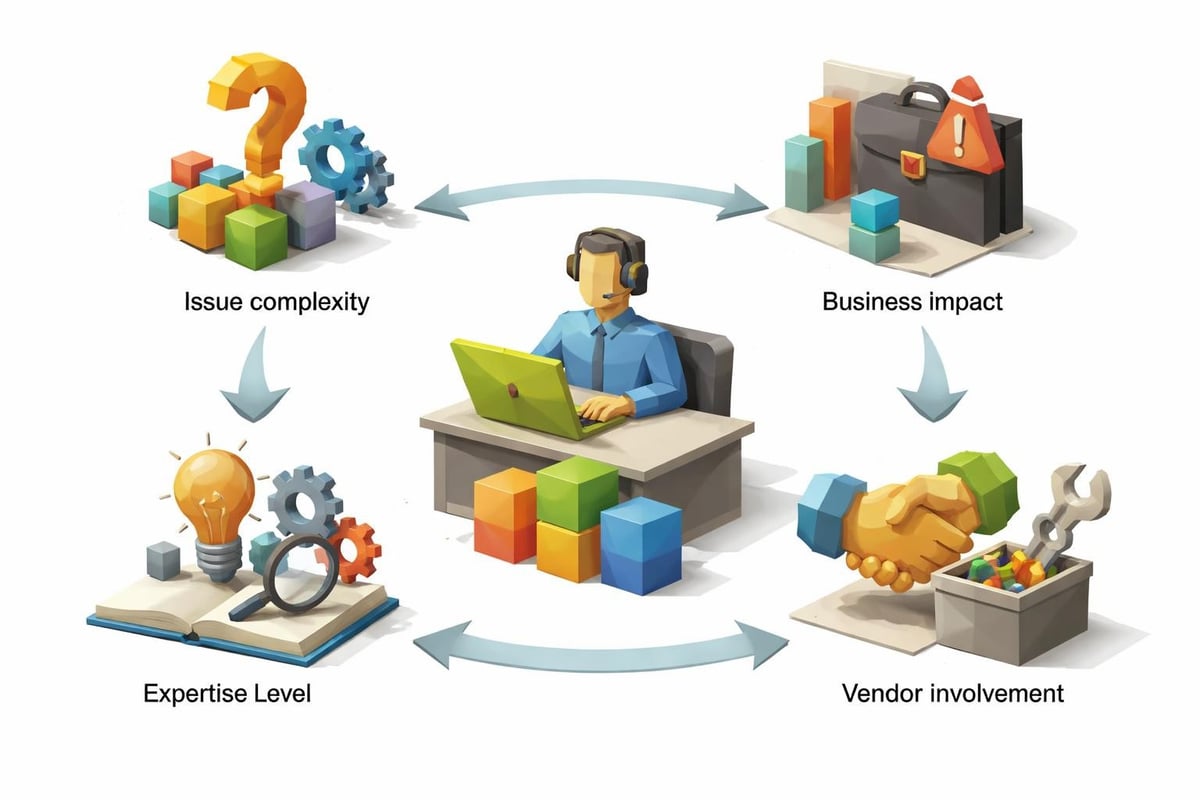
"When would you escalate an issue to a higher-tier support team or vendor?" tests your judgment and understanding of support hierarchies. Strong candidates know their limitations and escalate appropriately rather than wasting time on issues beyond their scope.
Escalation triggers include:
- Issues requiring administrative privileges you don't possess
- Hardware failures needing specialized repair or replacement
- Problems affecting critical business operations beyond quick resolution
- Situations requiring vendor-specific expertise or warranties
- Security incidents potentially indicating breaches or attacks
Staying Current with Technology Trends
Forward-thinking IT support professionals continuously update their knowledge. Interviewers often ask: "How do you stay current with technology trends and expand your technical skills?"
Effective professional development strategies:
- Industry certifications (CompTIA A+, Network+, ITIL Foundation)
- Online learning platforms and technical courses
- Technology blogs, podcasts, and YouTube channels
- Hands-on practice with home labs or virtualization
- Professional networking groups and forums
- Vendor-specific training programs
Mention specific resources you use and recent skills you've acquired. This demonstrates initiative and growth mindset, qualities employers value highly in IT support roles.
Similarly, be prepared to discuss: "What emerging technologies do you think will impact IT support in the coming years?" Strong answers in 2026 might reference AI-powered help desk automation, increased cloud infrastructure support, zero-trust security models, or expanded IoT device management.
Preparing Your Own Questions
Every IT support interview concludes with "Do you have any questions for us?" This isn't merely polite formality but an opportunity to demonstrate genuine interest and assess cultural fit.
Strategic Questions to Ask
Strong questions reveal your priorities and help you evaluate whether the role aligns with your career goals:
- What does a typical day look like for someone in this IT support position?
- What are the most common types of tickets your team handles?
- How is the IT support team structured, and what are opportunities for growth?
- What tools and ticketing systems does your team use?
- How do you measure success for IT support team members?
- What professional development opportunities does the organization offer?
Avoid questions about salary, benefits, or vacation time in initial interviews unless the interviewer raises these topics first. Just as you would when preparing questions to ask in a phone interview, focus on understanding the role and demonstrating enthusiasm.
Practical Preparation Strategies
Successful interview preparation requires more than reviewing it support interview questions. Implement these strategies to maximize your performance:
Mock Interview Practice
Practice with a friend, mentor, or use AI-powered interview preparation tools to simulate real interview conditions. Record yourself to identify verbal tics, unclear explanations, or nervous habits that might distract from your qualifications.
Focus on the STAR method (Situation, Task, Action, Result) for behavioral questions, ensuring your responses remain concise yet comprehensive. Aim for 90-second to two-minute answers that provide sufficient detail without rambling.
Research the Organization
Investigate the company's technology stack, industry, size, and culture before your interview. This research enables you to tailor responses to their specific environment and demonstrate genuine interest.
| Research Area | Where to Look | How It Helps |
|---|---|---|
| Technology Stack | Job descriptions, company tech blog | Mention relevant experience with their systems |
| Company Size | LinkedIn, company website | Understand support volume and team structure |
| Industry | News articles, company reports | Discuss industry-specific IT challenges |
| Culture | Glassdoor, social media | Align your communication style appropriately |
Technical Skills Refresh
Review fundamental concepts even if you work with them daily. Being able to clearly articulate basic networking principles, operating system differences, or troubleshooting methodologies under pressure requires preparation.
Create a personal reference sheet covering:
- Common Windows and macOS keyboard shortcuts
- Basic command-line tools and syntax
- Standard port numbers and protocols
- Password complexity requirements
- Backup and recovery best practices
Resume and Documentation Alignment
Ensure your resume accurately reflects the skills and experiences you'll discuss during your interview. Interviewers often ask about specific items listed on your resume, so be prepared to elaborate on any technical skill, certification, or previous role you've mentioned.
Using professional tools like CareerConcierge.io's resume builder helps ensure your application documents present your qualifications clearly and pass through applicant tracking systems. Many qualified candidates never reach the interview stage because their resumes don't effectively highlight relevant IT support experience.
Consider also running your resume through an ATS checker before applying to IT support positions. These systems scan for relevant keywords and proper formatting, and optimizing your resume increases the likelihood hiring managers will invite you to interview.
Final Interview Day Tips
On interview day, small details matter. Arrive 10-15 minutes early, dress professionally (business casual minimum, business formal if you're uncertain), and bring extra copies of your resume along with a notepad and pen.
Interview day checklist:
- Research directions and parking options in advance
- Prepare a brief (30-second) introduction about yourself
- Silence your phone completely
- Bring a portfolio with certifications, if applicable
- Have specific examples ready for common behavioral questions
- Plan to send thank-you emails within 24 hours
Remember that interviews are bidirectional evaluations. While the employer assesses your fit for their team, you're simultaneously determining whether the role, culture, and growth opportunities align with your career objectives.
Mastering it support interview questions requires balancing technical knowledge with communication skills, systematic problem-solving with customer empathy, and confidence with continuous learning. By preparing thoughtfully across all question categories and practicing your responses, you position yourself as the complete package employers seek. Ready to take your job search to the next level? CareerConcierge.io offers AI-powered tools for resume optimization, interview preparation, and complete application support to help you land your ideal IT support role efficiently and confidently.